

Extracting list of songs using Python
This is a make-shift guide on how to get a list of songs from a youtube music playlist using web-scraping.

What is web-scraping ?
As wikipedia defines it,
Web scraping, web harvesting, or web data extraction is data scraping used for extracting data from websites.
We can make use of some libraries that python provides to perform web-scraping.
Task
We need to get a list of songs from the youtube music page by extracting information from the html text of the page. This can be done by web-scraping.
Set up
The first basic requirement is python installed on the system. Then, the following libraries have to be installed to be used in our python script
- bs4
pip install beautifulsoup4
- csv (installed as part of python installation)
Begin Scraping
First we need to import all required modules into the python program so that we can use them. That can be done as follows,
from bs4 import BeautifulSoup #Module for web-scraping
import csv #For reading and writing CSV files
To confirm that all the modules were found by the system, run the program once and cross check that it ran without any errors. Since only imports were done, no output statements would be seen.
Get the HTML Page
Now, we need to get the html page that consists of the playlist.
- Go to youtube music

- If you are logged out, log in. Then, you should see your home screen.
- Select the playlist you wish to list. You should then see a page like this,
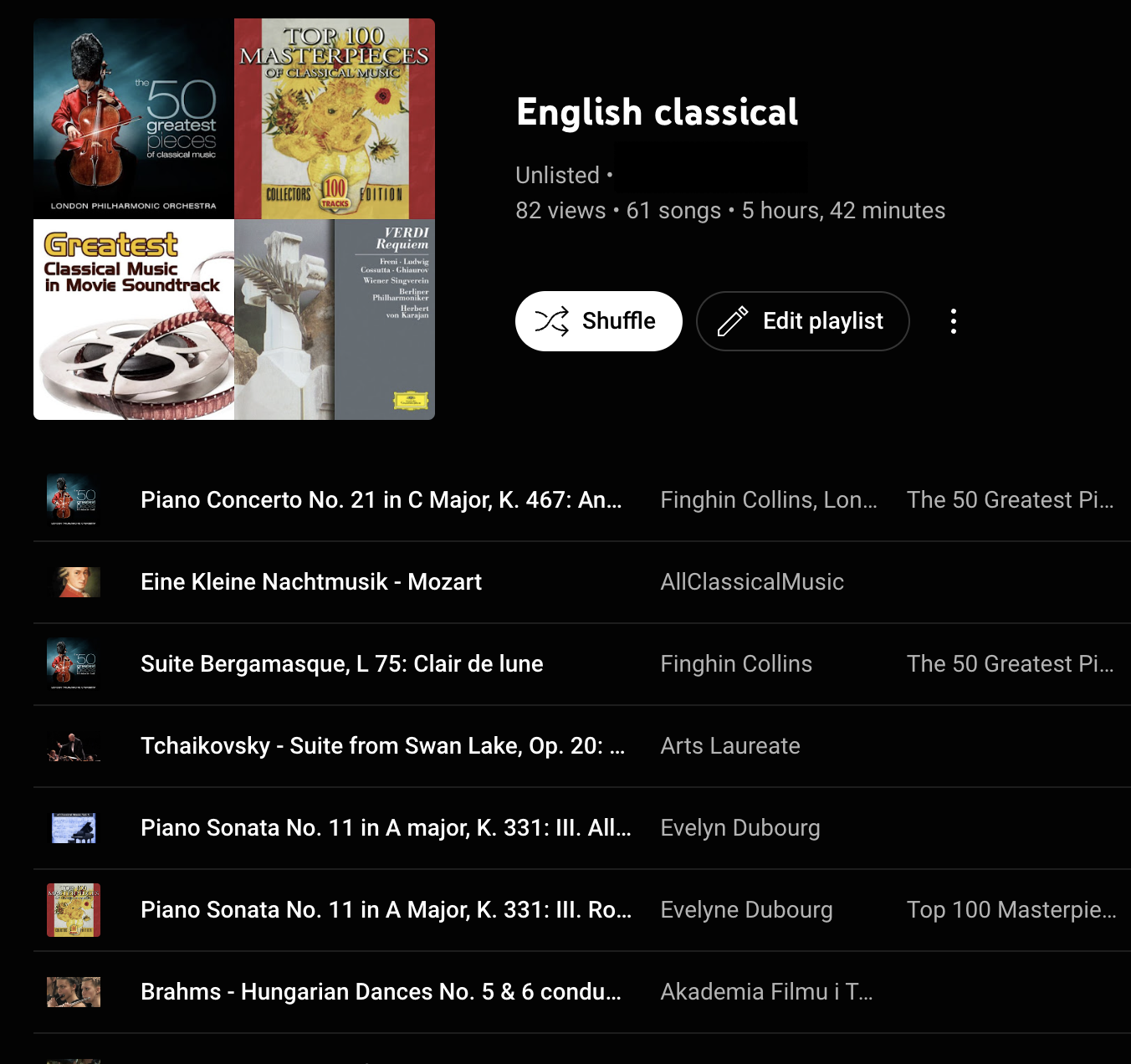
- For extraction however, just a screenshot is not helpful. So now we need the html text of this page.
Right click on this page and select "Save As"
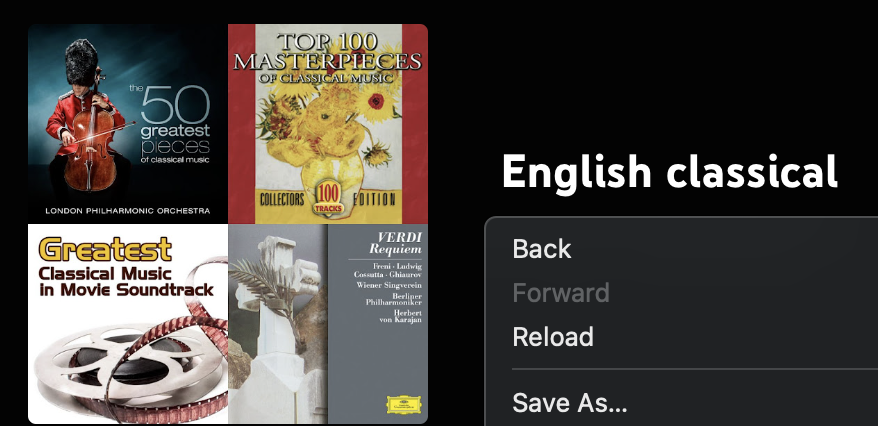
Save this file with a ".html" extension in the same directory as your python script. I will call my file "ytplaylist.html"
Analyse the HTML content
On initialise observation you can observe that the html seems to be quite complex. In addition, it is not all relevant to our purposes either. So we need to figure out what part of our html text is the part that contains the songs. For this, we can make use of the "inspect" tool in our browser.
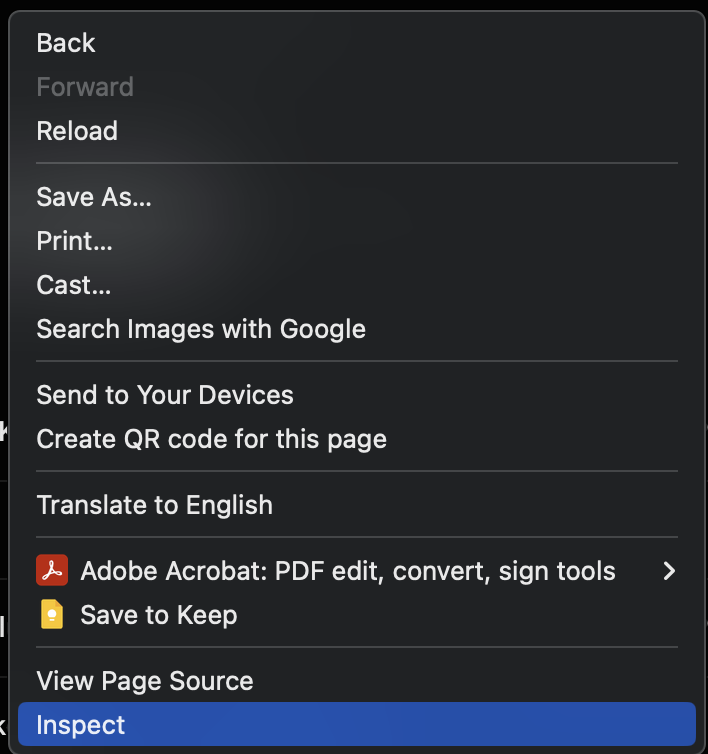
This option opens up a panel on the side which also shows the same html content which we just saved, plus other details which you may or may not be familiar with depending on your knowledge in web development.
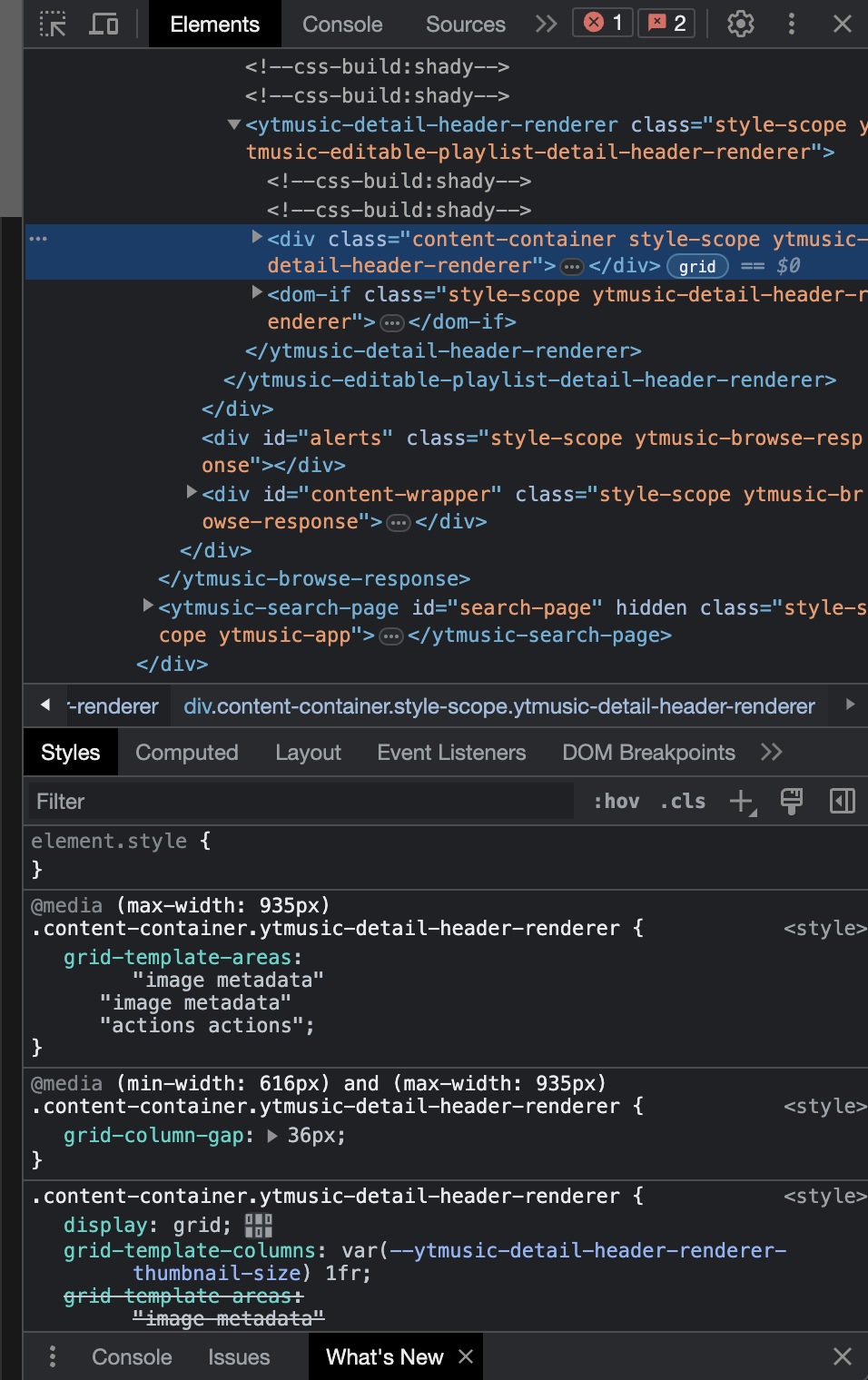
For now, we only need some basic knowledge. We will make use of the button on the top left of this panel.

If you hover over this icon you will also get a keyboard shortcut to enable the same functionality. What this button does is, it allows you to highlight the code segment corresponding to any part of the interface on the left.
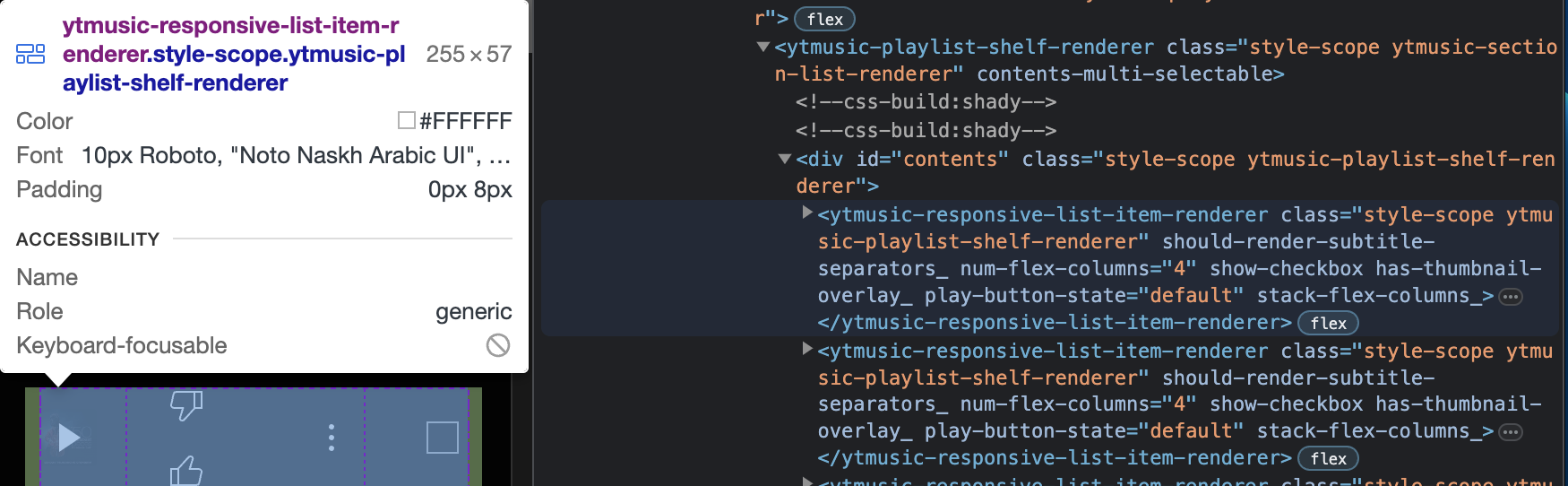
If you are familiar with html syntax, you would know that in its syntax, text is enclosed within "html tags" like this
<tag-name></tag-name>
To be able to extract the song name and song artist together, observe your html text and find the tag that encloses them both.
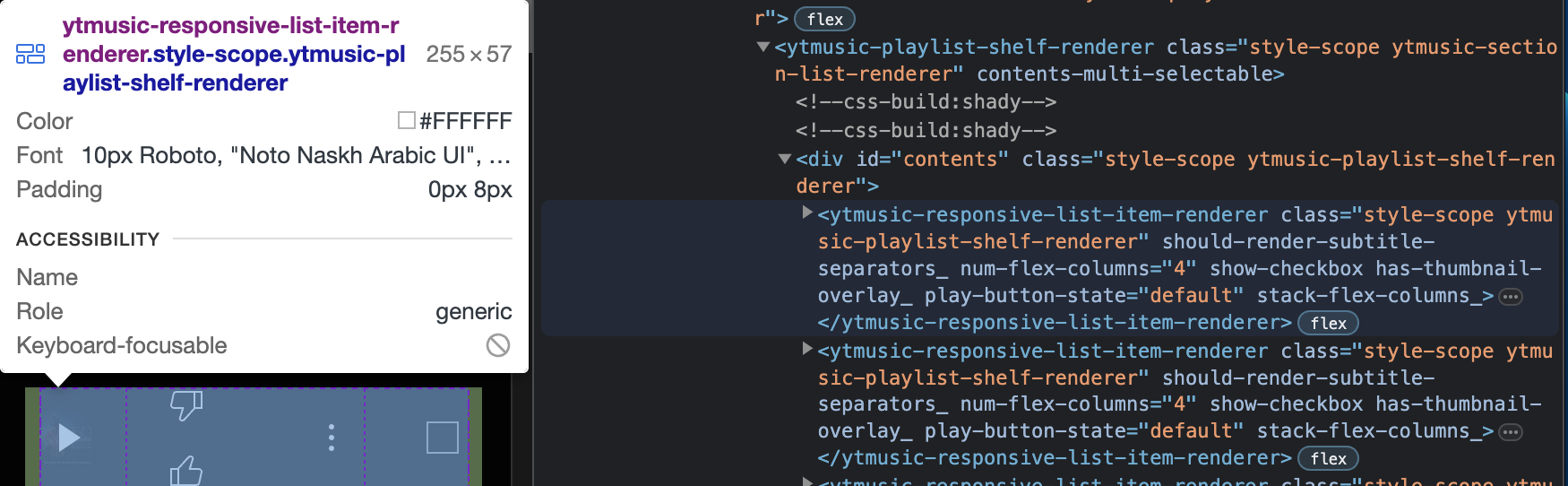
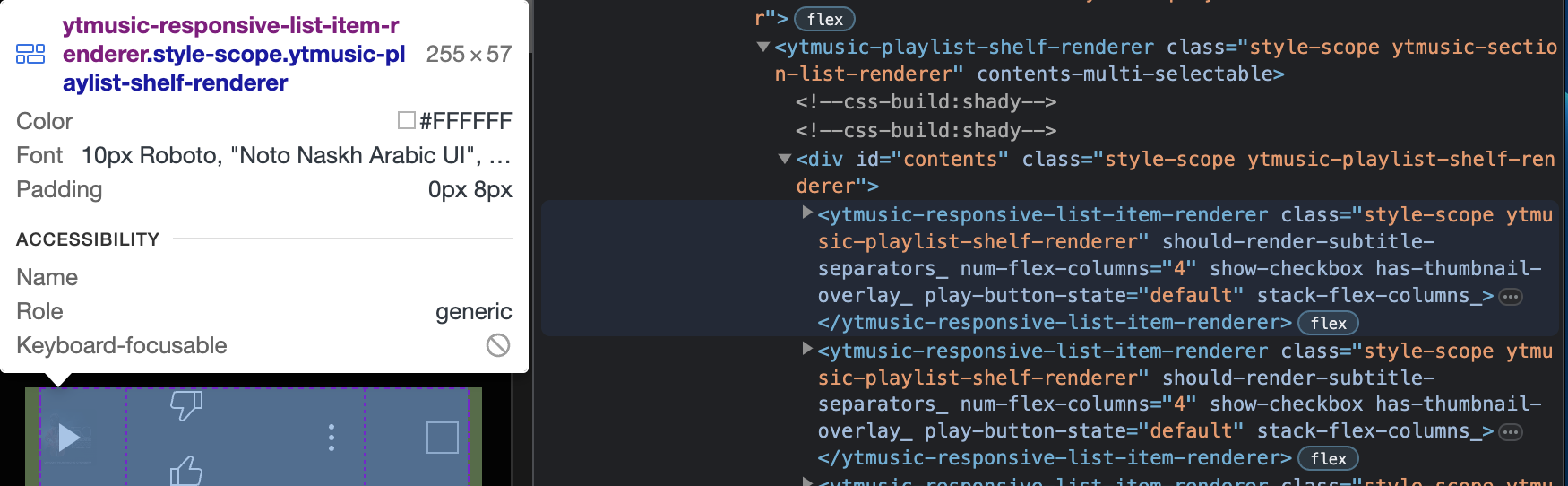
On using the hover tool I observed that the song entry is enclosed in a "ytmusic-responsive-list-item-renderer" tag.
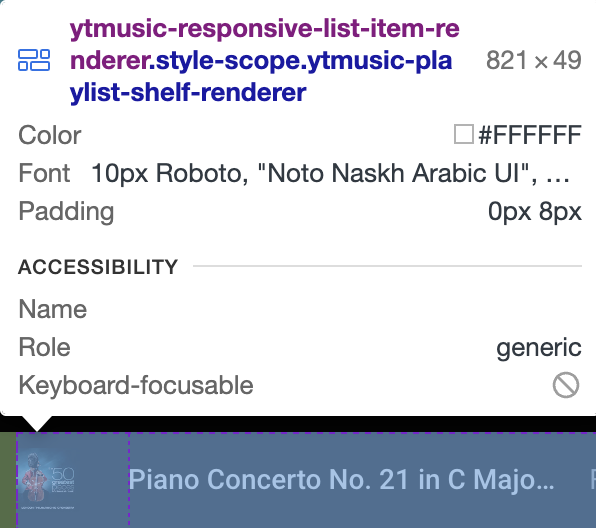
The text after the "." is the class applied to this tag. Now in the inspect panel I can see the corresponding tag and its contents. On opening all the drop downs I eventually see the song name and the artist and the immediate tags enclosing them.
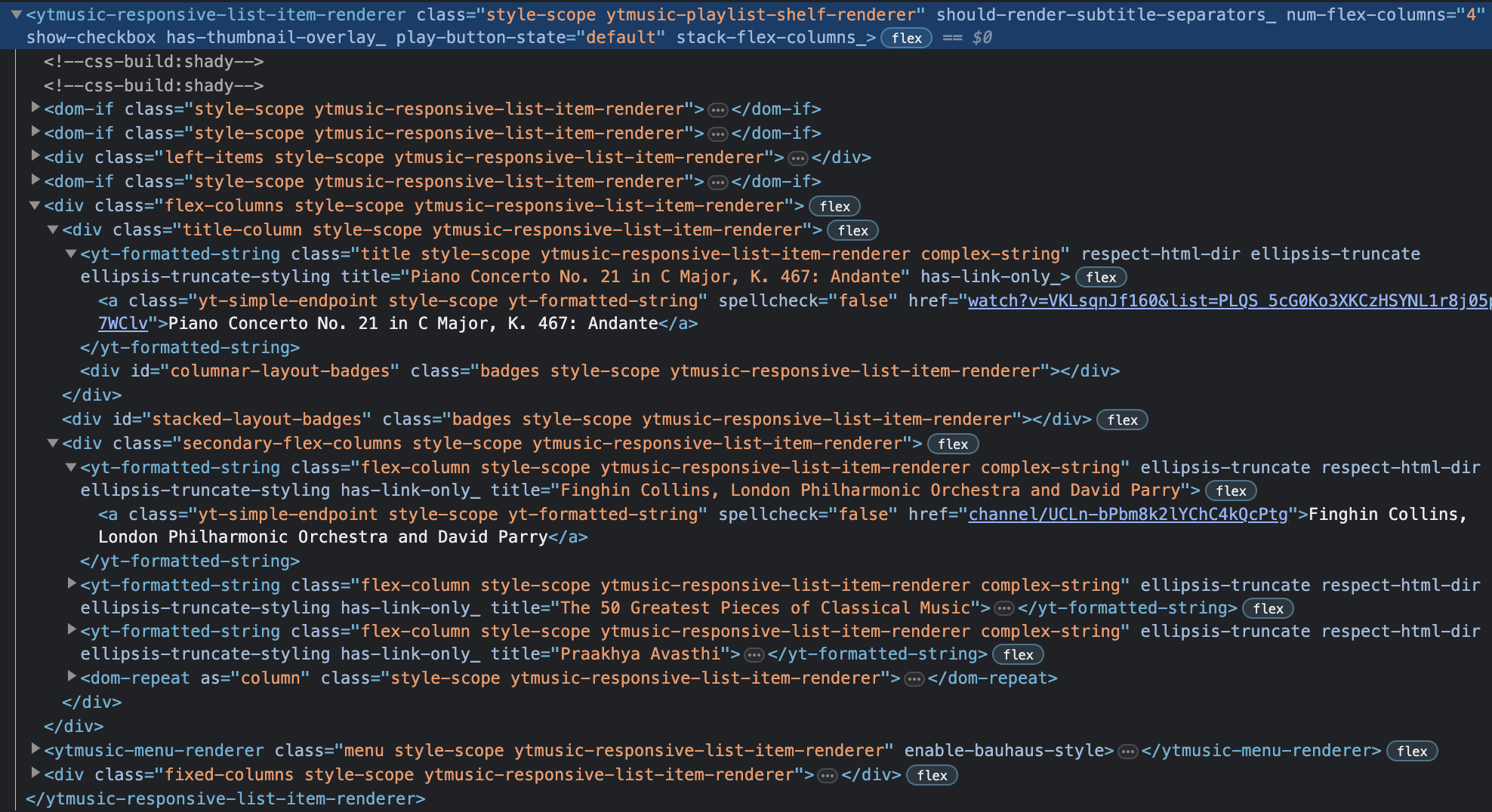
My song/piece is "Piano Concerto No. 21 in C Major, K. 467: Andante" enclosed in the "a" tag inside the "yt-formatted-string" tag with class name "title style-scope ytmusic-responsive-list-item-renderer complex-string" and the artists/musicians are "Finghin Collins, London Philharmonic Orchestra and David Parry" enclosed in the tag "a" tag inside the "yt-formatted-string" tag with class name "flex-column style-scope ytmusic-responsive-list-item-renderer complex-string". Both tags are enclosed within the "ytmusic-responsive-list-item-renderer" with class name "style-scope ytmusic-playlist-shelf-renderer". This information can be used to find the songs.
Extracting Information
First we will search for the parent tag that encloses the song name and the song artist tags. Once we perfect this, we can modify this method to search for the song name and the artist too.
Reading the downloaded html file
First we will read the html file as simple text. To the previous imports we now add the following.
# imports
from bs4 import BeautifulSoup #Module for web-scraping
import csv #For reading and writing CSV files

#reading the html file
f = open("ytplaylist.html","r")
content = f.read()
Now the variable content has all the html content as simple text. To verify this, print the variable.
print(content)Performing scraping
To do the actual web-scraping we use the BeautfiulSoup library. For more details about this library refer to its website
Add the following line
soup = BeautifulSoup(content, 'html.parser')soup now has the html text in the variable content stored as a nested data structure. This allows us to search within the data structure on the basis of tag names, classes, id's or other attributes.
First we can search for tags with the tag name ytmusic-responsive-list-item-renderer and class name style-scope ytmusic-playlist-shelf-renderer
for tag in soup.find_all(class_="style-scope ytmusic-playlist-shelf-renderer"):
	print(tag.text)
This successfully finds all the songs, however because the whole enclosing tag is being referred to, the text is displayed in a very strange manner possibly due to styling issues and we cannot individually get the name or artist. So our next step is to search for the song name and song artist individually within this tag. Modify the previous for loop as follows
i=1
for tag in soup.find_all(class_="style-scope ytmusic-playlist-shelf-renderer"):
	name=tag.find(class_="title style-scope ytmusic-responsive-list-item-renderer complex-string")
	print(i,":",name.text)
The name variable will have the tag that has the class name of the tag enclosing the song name. name.text can be used to display the text within that tag.
The i variable is just used to display the number of song entries that were found and printed.
On running this new modified script there can be 2 problems: -
- The songs are still displayed with excess whitespaces.
- The program may end with an error. The first problem is fixed by replacing a continuous substring of whitespaces with a single whitespace using regular expressions. For this we import another library: -
import re
[!info] Some points about regular expressions
- A regular expression is a sequence of characters that specifies a match pattern in text. Regular expression techniques are developed in theoretical computer science and formal language theory.
- In regex,
\\srefers to a whitespace character.\\s+refers to a whitespace character followed by any number of whitespace characters.
- We want to replace
\\s+with a single space that is " ".
To perform the above operation we use re.sub()
re.sub('substring to be replaced', 'new substring', 'string')
Using the above function in our code
# import library
...

import re

...

for tag in soup.find_all(class_="style-scope ytmusic-playlist-shelf-renderer"):
	name=tag.find(class_="title style-scope ytmusic-responsive-list-item-renderer complex-string")
	print(i,":",re.sub("\\s+"," ",name.text))
	i+=1
Now you can observe that the excess whitespaces have disappeared, but the program still ends with an error.

To fix the error, first read the error message. I get the following: -
This happens because in the html, the class which is used for song names is also being used for something else which may not have the same attributes as the rest of the songs. In my case, this error has a simple fix. I should only print the name.text if name is not None. So I modify my code as follows: -

for tag in soup.find_all(class_="style-scope ytmusic-playlist-shelf-renderer"):
	name=tag.find(class_="title style-scope ytmusic-responsive-list-item-renderer complex-string")
	if name!=None: #or `if name:`
		print(i,":",re.sub("\\s+"," ",name.text))
		i+=1
Now the error should have also disappeared.


Now we can use a similar class based search for finding the corresponding artist name.
i=1
for tag in soup.find_all(class_="style-scope ytmusic-playlist-shelf-renderer"):
	name=tag.find(class_="title style-scope ytmusic-responsive-list-item-renderer complex-string")
	artist=tag.find(class_="flex-column style-scope ytmusic-responsive-list-item-renderer complex-string")
	if name!=None: #or `if name:`
		print(i,":","{:s} | {:s}".format(re.sub("\\s+"," ",name.text),re.sub("\\s+"," ",artist.text)))
	i+=1
Apart from some obvious mistakes in my output(the first piece being displayed twice), the rest of the output seems to be correct.
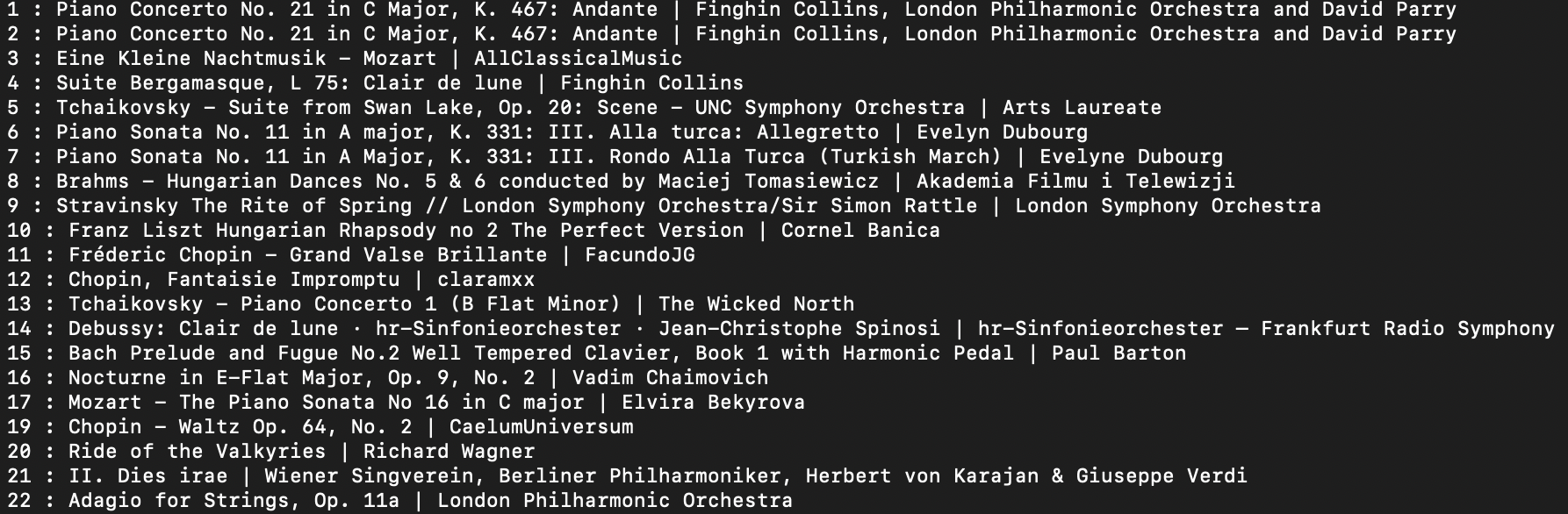
Thus, for all practical purposes we have completed the task of getting a list of songs and artists from a given youtube music playlist. A next useful step could be writing this into a csv file (with a custom delimiter) so that the data is more useful. This is the modified code for the same: -
for tag in soup.find_all(class_="style-scope ytmusic-playlist-shelf-renderer"):
	name=tag.find(class_="title style-scope ytmusic-responsive-list-item-renderer complex-string")
	artist=tag.find(class_="flex-column style-scope ytmusic-responsive-list-item-renderer complex-string")
	if name!=None: #or `if name:`
		with open('ytSongs.csv', 'a', newline='') as csvfile:
			spamwriter = csv.writer(csvfile, delimiter='|')
			spamwriter.writerow([i, re.sub("\\s+"," ",name.text), re.sub("\\s+"," ",artist.text)])
		print(i,":","{:s} | {:s}".format(re.sub("\\s+"," ",name.text),re.sub("\\s+"," ",artist.text)))
	i+=1